Getting started
Here's how to set yourself up as a trainer or instructor in online:academy and create your first course.
Signing in
Just like every other user, you'll receive an invitation email. Click the link and set your password. Your account is marked as a trainer from the start; after logging in you'll see additional areas that regular learners don't see.
Completing your profile
- Avatar in the top right → Profile.
- Upload a profile picture (max. 2 MB) and check your first/last name.
- Optional: add contact details and job title.
Your profile picture appears in your avatar in the top right; colleagues with management access see your name on the content you've created.
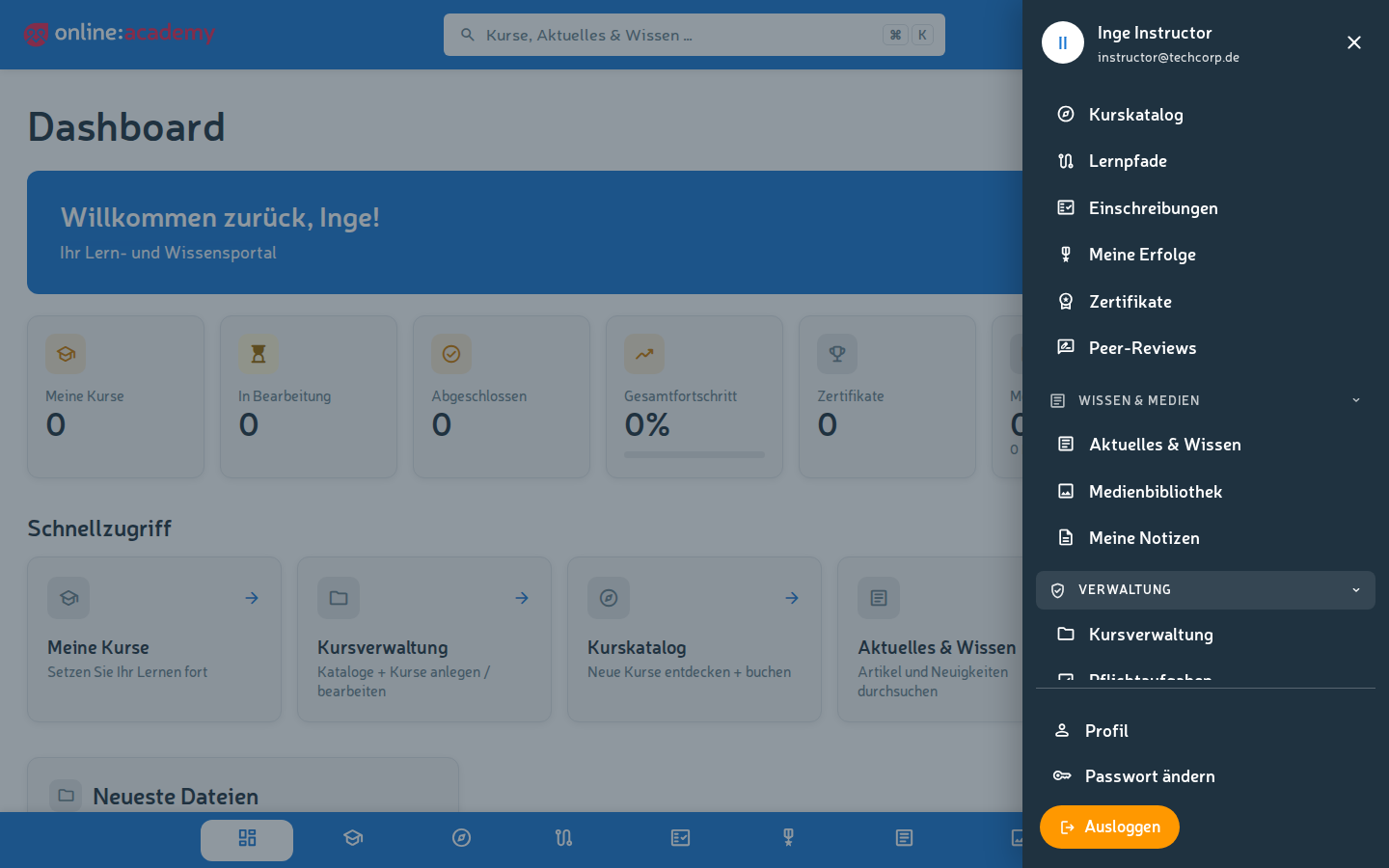
Trainer areas you now also see
In the main navigation, as a trainer you'll find the following in addition to the regular areas:
- Enrollments — an overview of your company's course enrollments, including approving requests
- Media library — upload and version files for your courses
- In the menu section Administration: Course management (creating and maintaining courses), Mandatory assignments, Learning groups and AI gradings
(By the way, "My courses" shows — as for all users — your own enrollments as a learner, not the courses you've created.)
Creating your first course
Ready to create your first course? It pays to sort out a few things beforehand:
- What should learners be able to do after the course? — formulate the learning objectives
- How long should the course be? — typically 30 min to 4 h
- What content do you already have? — videos, PDFs, slides, your own texts
- How do you check that the content has stuck? — quiz, peer review, free-text task
Once that's reasonably clear, continue here:
What else you should know
- New courses are active by default — switch off the "Active" toggle if you want to build in peace first. Learners don't see inactive courses; your colleagues with course management rights still see them in Course management.
- Courses belong to your company — they are only visible to users of your tenant. Cross-company (global) courses are maintained by the platform team.
- Aids for course quality: the AI quality check and the AI tutor are interesting both for you as a trainer and for your learners.
- Co-authors: multiple authorship for a course is currently not supported in the UI — if you write as a team, coordinate that organizationally.
Help & support
- This collection of guides — see the topic overview on the trainer index page
- FAQ for trainers — the most common questions from practice
- For technical problems or questions about the feature set: contact your company's platform manager