Taking a course
You'll find new courses in the course catalog in the left-hand navigation.
Finding a course
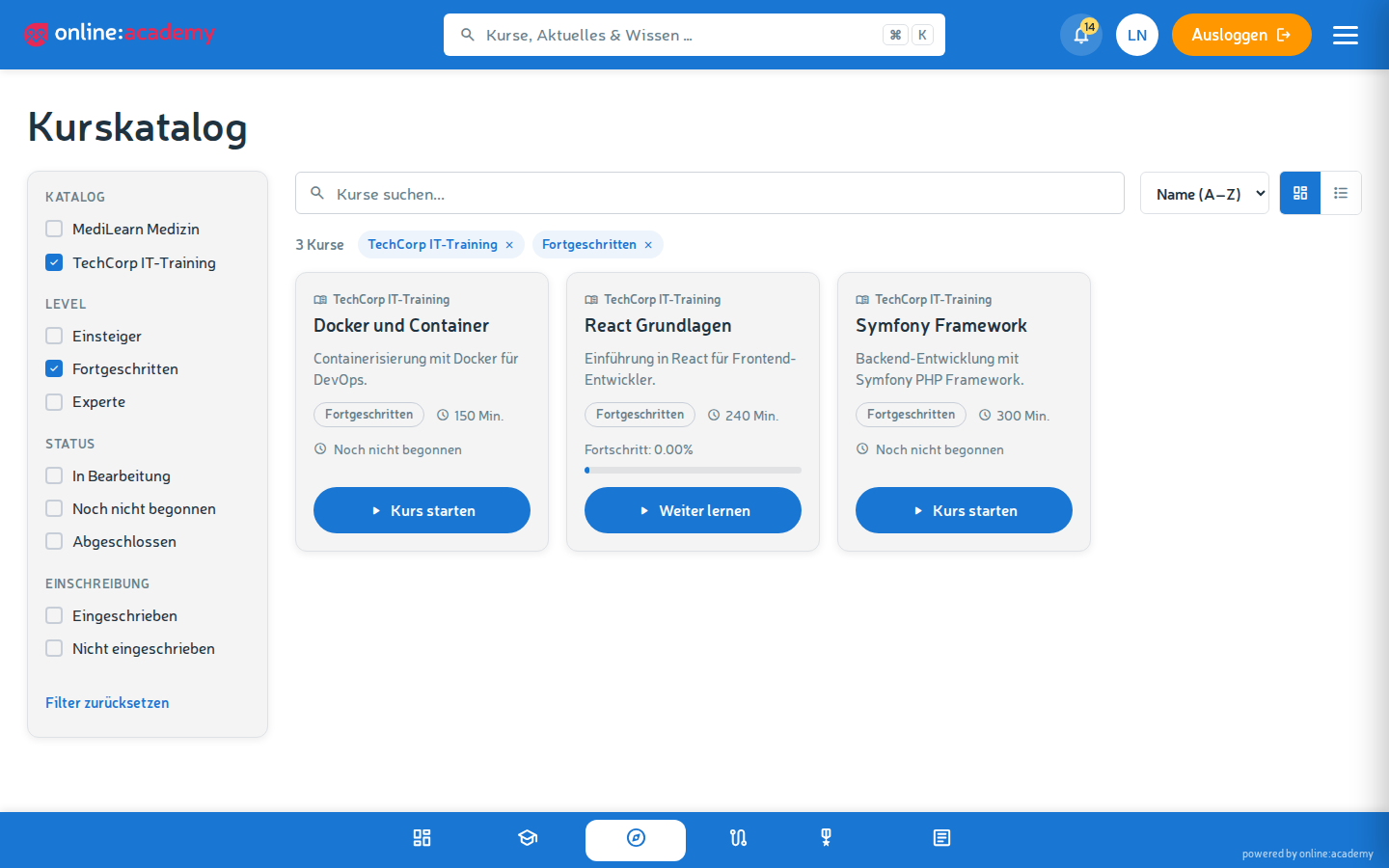
- Click Course catalog in the navigation.
- Use the search field to find courses by name; in the sidebar you can filter by Catalog, Level (Beginner / Advanced / Expert), Status and Enrollment. You can sort by name, duration or level.
- You see the following details directly on the course card: short description, level, estimated duration, average rating (stars + count) and your progress.
Enrolling
Depending on how the course is configured, you have different options:
| Button | What happens |
|---|---|
| Enroll | You are enrolled immediately and can get started. |
| Request enrollment | Your request must first be approved. You'll get a notification as soon as that has happened. |
| Hint "Kontaktieren Sie Ihre Ansprechpartner" ("Contact your administrator") | Self-enrollment is not available for this course — your trainer or administrator handles the enrollment. |
Enrolled courses automatically appear in your My courses overview.
Starting the course
- Go to My courses.
- Click the course card.
- Click Start course — the course player opens with the first lesson.
You'll find more about operating the course player under The course player.
What if the course is a mandatory assignment?
You can recognize mandatory assignments by the fact that the card carries a due date and appears at the top of the ordering. You'll find details under Mandatory assignments.
Frequently asked questions
I enrolled, but don't see the course in "My courses".
Reload the page (F5). If it's still missing: log out and log back in — sometimes the browser cache gets stuck.
The course card says "Kontaktieren Sie Ihre Ansprechpartner". How do I get in? Ask your trainer or administrator. They can enroll you or an entire group in the course.
Can I unenroll from a course again? Not yourself — contact your trainer or administrator, they can end the enrollment.