Certificates, awards and learning streaks
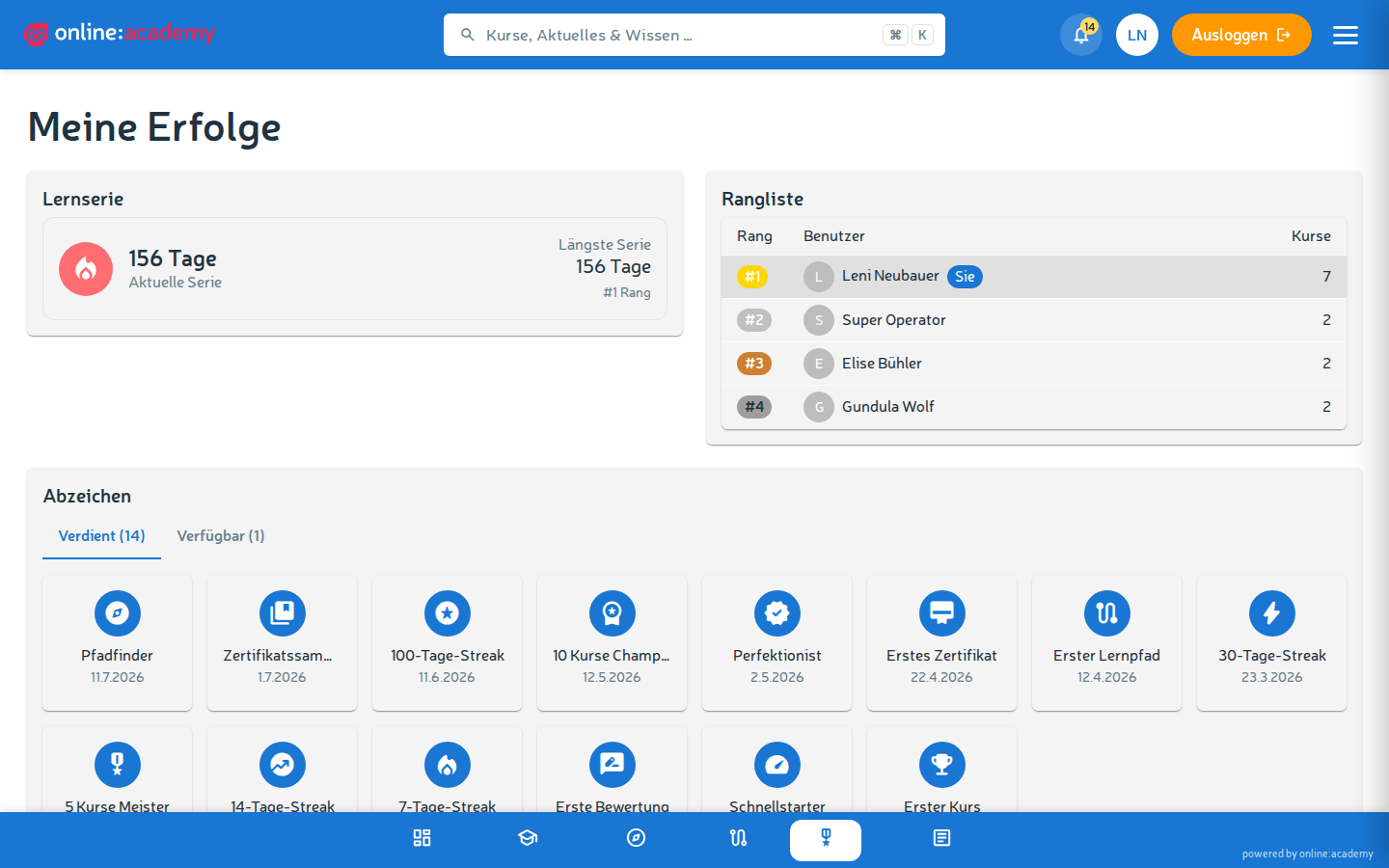
online:academy rewards your learning achievements in three ways: official certificates as a PDF to download and share, awards as digital badges, and learning streaks for daily learning. You'll find awards and your learning streak under My achievements.
Certificates
A certificate is an official confirmation that you have successfully completed a course or learning path — as a PDF, with a unique verification code, often with your company's logo and layout.
Receiving a certificate
- Successfully complete a course or learning path — all mandatory lessons done, minimum score reached.
- The system automatically generates the certificate (provided a template is assigned to the course).
- You get a notification "Certificate received".
- The certificate appears under Certificates in the main navigation.
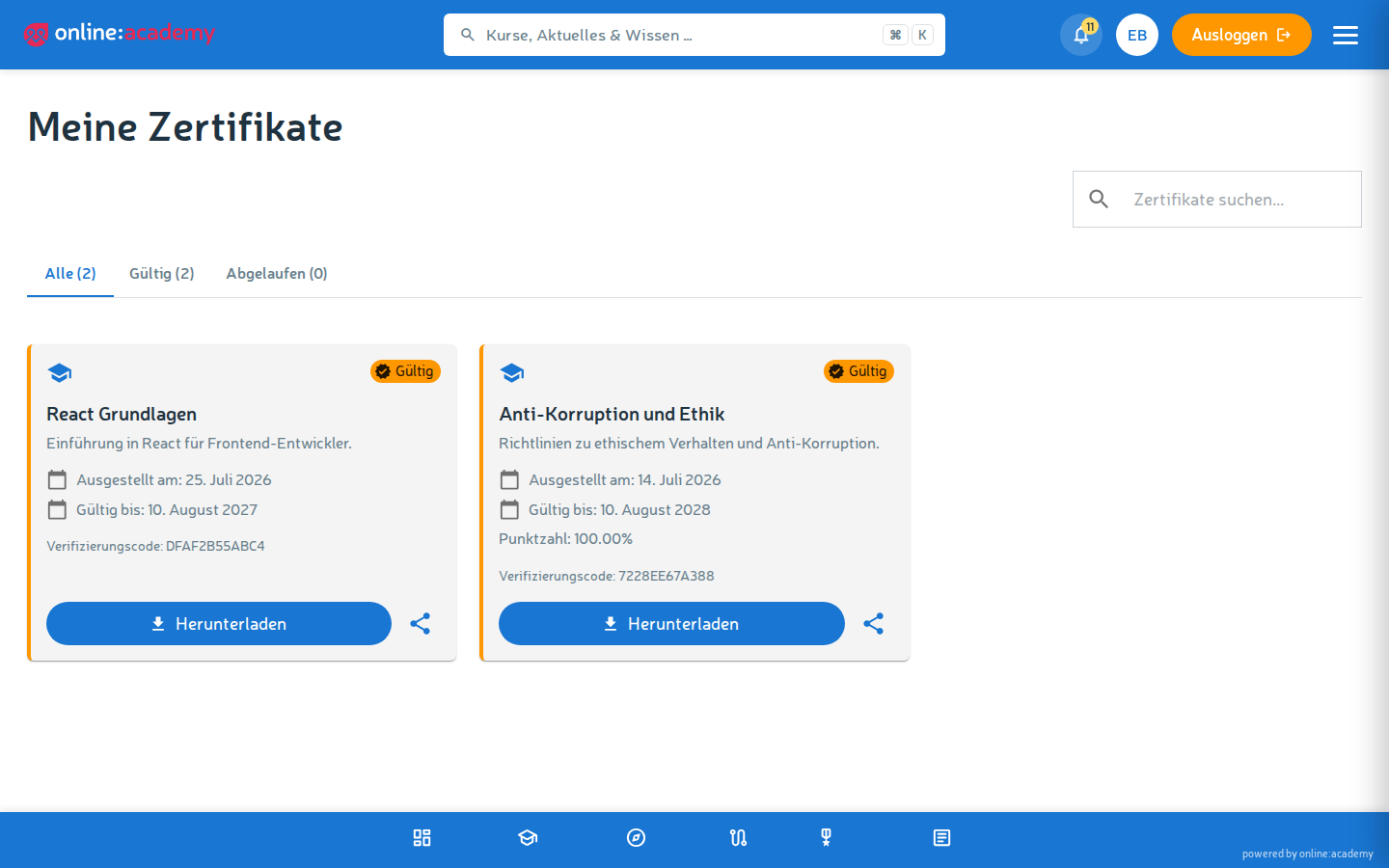
Downloading and sharing a certificate
- Navigate to Certificates.
- Select the certificate.
- Click Download PDF.
You can use the PDF to: - Attach it to a job application - Upload it to your LinkedIn profile - Share it by email - Print it
Having a certificate verified
Every certificate carries a unique verification code — and, if enabled in your company's certificate layout, a QR code. A person you show your certificate to — e.g. an HR manager in a hiring process — can scan the QR code or check the code online to make sure the certificate is genuine and (if relevant) still valid.
You'll find the verification URL on the certificate itself. It only shows that the certificate exists and is valid — no complete personal data.
If the course contained graded quizzes, your achieved score is also shown on the certificate; your company's logo appears if it has been provided.
Validity
Some certificates are time-limited, e.g. for safety trainings that must be refreshed annually. The expiry date is stated directly on the certificate. On expiry:
- The certificate is no longer "valid" in verification
- For recertification you have to take the course again
Awards
Awards are digital badges that you get for special achievements — in addition to the classic certificate.
Which awards are there?
| Type | What for |
|---|---|
| Course completion | A single course successfully finished |
| Milestone | A certain number of courses in total (e.g. "10 courses completed") |
| Learning streak | A learning streak held for X days |
Viewing awards
- Navigate to My achievements.
- Earned awards appear in color, ones still to be reached are gray.
Learning streaks
A learning streak shows how many days in a row you've learned in online:academy.
How a learning streak develops
- At least one learning activity per day — work on or complete a lesson.
- Even a short lesson is enough, the streak jumps up by one.
- If you miss a day, the streak starts again at 1 with the next activity.
You see your current learning streak in the dashboard and under My achievements.
Learning-streak awards
At special streak milestones you additionally get awards:
- 7 days — stayed with it for a week
- 30 days — a month
- 100 days — learning pro
Weekends and holidays: count perfectly normally. If you have a family celebration and little time, a short lesson is enough to not lose your streak.
Frequently asked questions
I completed a course but didn't get a certificate. It's possible the course has no certificate template assigned — in that case there's no automatic PDF. Ask your trainer whether it can be provided afterwards, or whether this course deliberately has no certificate.
My certificate has expired, what do I have to do? Take the course again and complete it — on passing you'll receive a fresh certificate with a new validity period.
I completed a course for the second time. Do I get two certificates? No — one certificate per course per person. The date updates to the most recent completion.
My learning streak is lost even though I learned yesterday. Learning streaks count calendar days, not 24-hour windows. If you learned at 11:50 PM and then again the next day only at 12:30 AM, those are two consecutive days. If your streak is still reset to 0 and you're sure you were active every day, contact your trainer.
Can I choose my awards? No — awards are given automatically, based on concrete achievements. Which awards exist is set platform-wide.
Who sees my awards? By default, only you see them under My achievements. There are no public leaderboards.