Marketplace, sales, and orders
online:academy comes with integrated sales features: you can license courses to other companies via the B2B marketplace, market individual courses via public landing pages, keep an eye on orders, and maintain the payment connection. This guide walks you through everything you need as an administrator.
Where this lives
You find all commerce features in the app in the menu section "Sales & Licenses": Marketplace, Licensed courses, Orders, Landing pages, and Payment settings.
Offering courses for sale
Selling happens through two channels:
-
B2B marketplace — you offer a course to other companies (see below). When publishing, you set the price and the license type:
License type What the buyer gets Reference Access to your course — updates take effect automatically Copy A standalone copy of the course for their own further editing Participant license A copy with a limited number of participants — the price is calculated as seats × seat price (see Licenses and access) -
Landing pages — public sales pages for individual courses with guest checkout (see below).
Free offerings
At a price of €0, the order is completed automatically without a payment step. Handy for free offerings and intra-group distribution — this also works without a configured payment provider.
Payment settings
For any money to be collected at all, you need a payment connection. You maintain it in the app under Sales & Licenses → Payment settings:
| Setting | Meaning |
|---|---|
| Payment provider | PayPal and Stripe are connected — here you store the credentials of your provider account. |
| Currency | The currency your company bills in. |
| Allow free enrollment | Controls whether €0 orders go through without a payment step. |
Set up payments first, then sell
As long as no payment provider is set up, paid products can't be purchased. Free offerings (€0) also work without a provider.
Coupons
A coupon system (percentage or fixed discount, validity period, usage limit) is technically prepared but has not arrived in the interface yet: there is neither a creation/management area nor an input field at checkout. If you're planning discount campaigns, talk to your point of contact on the platform team about the current status.
Managing orders
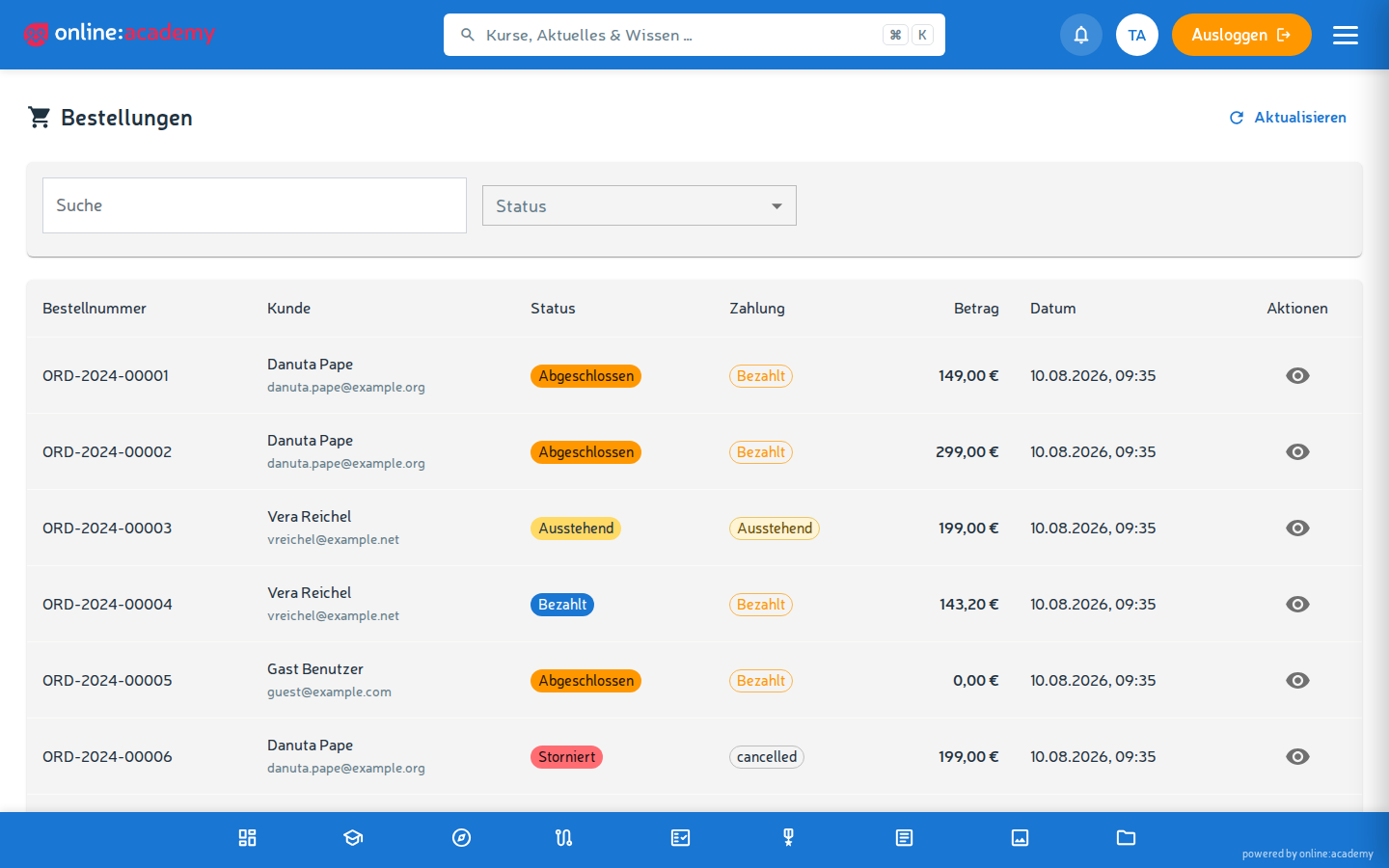
You find all of your company's purchases in the app under Sales & Licenses → Orders:
- The list shows all orders of your own company.
- You can filter by status; the search finds order number, name, and email.
- Per order you see the buyer, purchased products, total, and status (Pending, Paid, Completed, Canceled, Refunded).
Canceling or refunding an order
There is currently no cancel button in the order overview — cancellations and refunds go through your platform team. Important to know: a cancellation sets the order status and informs the buyer by email; a refund at the payment provider and revoking an already granted course enrollment are separate manual steps.
Invoice numbers
Invoice numbers are assigned sequentially per company and year (format INV-2026-00001). You don't need to maintain this yourself. How the invoice looks is controlled via the Templates (invoice and confirmation templates).
B2B marketplace & intra-group licensing
Via the marketplace you can license courses to other companies — for example when your company provides trainings for partners or subsidiaries.
You find the B2B marketplace in the app under Sales & Licenses → Marketplace.
An offering's visibility
When publishing a course, in the Visibility field you choose who may see the offering (changeable at any time afterwards):
| Visibility | Who sees the offering |
|---|---|
| Public (default) | All companies on the platform |
| Company group only | Exclusively companies of the same company group (e.g. subsidiaries under a common parent company) |
Intra-group offerings carry a Company group label on the marketplace; there's additionally the filter My company group.
A typical use case
A hotel chain provides central trainings that only its own locations can obtain — for this you choose Company group only. How company groups and the common parent company are set up is described under Company and branding.
Distributing free of charge across the group
If you set the price of an intra-group offering to €0, the button for the other locations reads Obtain for free. They get the course without a payment step — ideal for distributing content across the group.
Landing pages (quick overview)
Landing pages are public sales and enrollment pages for individual courses or bundles. They're reachable without a login and guide interested people, via a guest checkout, all the way to enrollment.
- Where: in the app under Sales & Licenses → Landing pages.
- Public address: each page has its own URL of the form
/p/{slug}— you can share, link, or advertise it. - Guest checkout: visitors can create an account right at the purchase; for pure free courses it sometimes works entirely without registration.
- Design: you set the title, subtitle, description, feature blocks, FAQ, hero image, and primary color in the editor.
Test before publishing
You can leave a new landing page inactive at first and test it via a time-limited preview link before making it public with Landing page active. Choose the slug cleanly from the start — changing it later breaks links already shared.
Related topics
- Templates — customize invoice and confirmation templates
- Licenses and access — how participant-license quotas work
- Company and branding — company groups and parent company