Peer reviews
In a peer review you rate the work of another learner — and in return your own work is rated by two or three others. You learn twice in the process: once while writing your own answer, once while attentively reading others'.
Reviews are anonymous — you don't know whose work you're rating, and no one knows that you're the reviewer.
Submitting your own work
- Open a lesson of the type "peer-review assignment" in the course player.
- Read the task.
- Compose your answer — type text or upload a file, depending on the assignment.
- Submit.
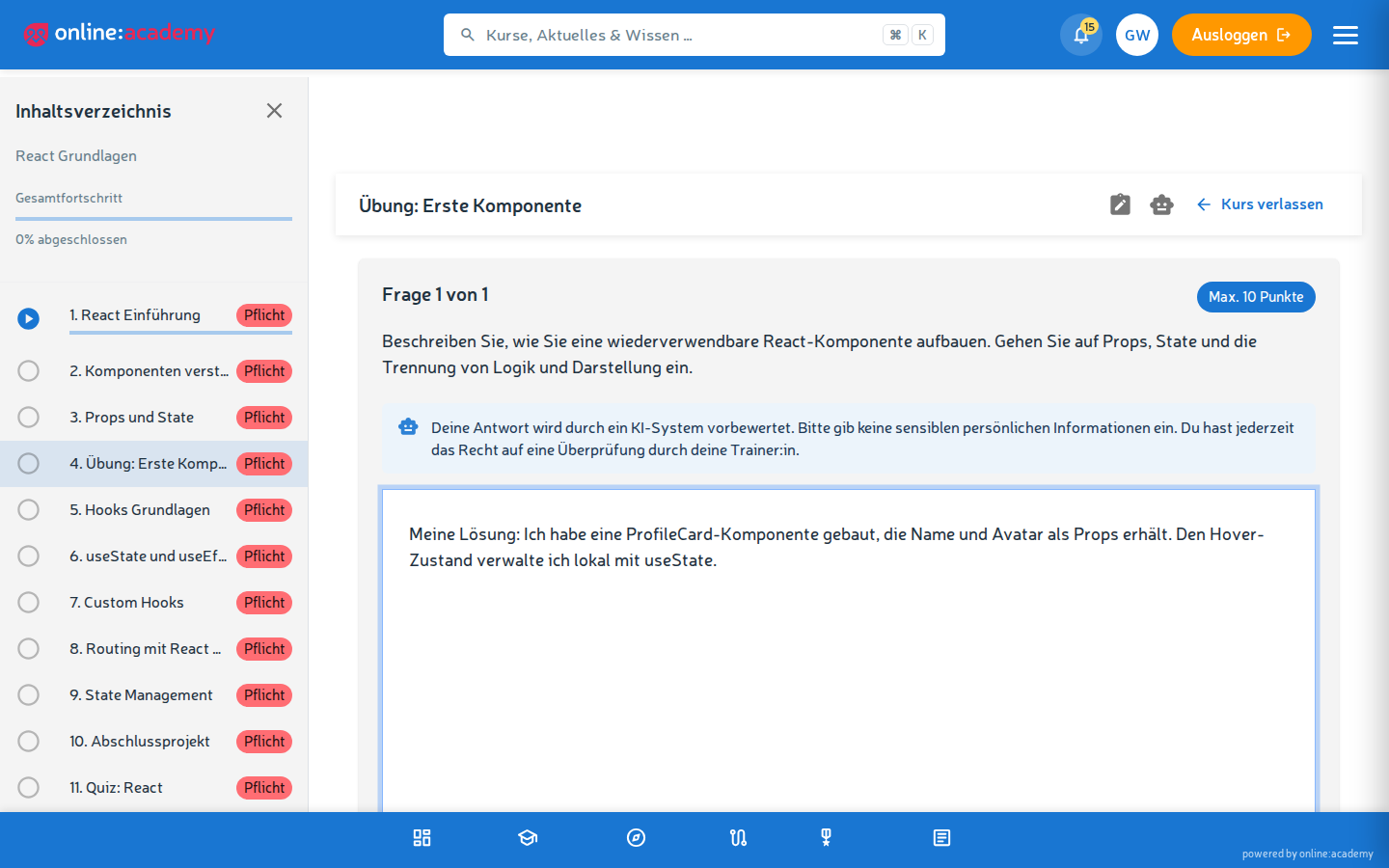
Once you've submitted, the system automatically assigns reviewers.
Reading the ratings
- Go to Peer reviews in the left-hand navigation (or via the peer-review widget on the dashboard).
- Switch to the My submissions tab — there you see the ratings that have come in.
Per rating you see: - Overall rating — 1-5 stars - Free-text feedback — the reviewer's detailed notes
Use the notes as learning material: what went well, what can I improve next time.
Rating someone else's work
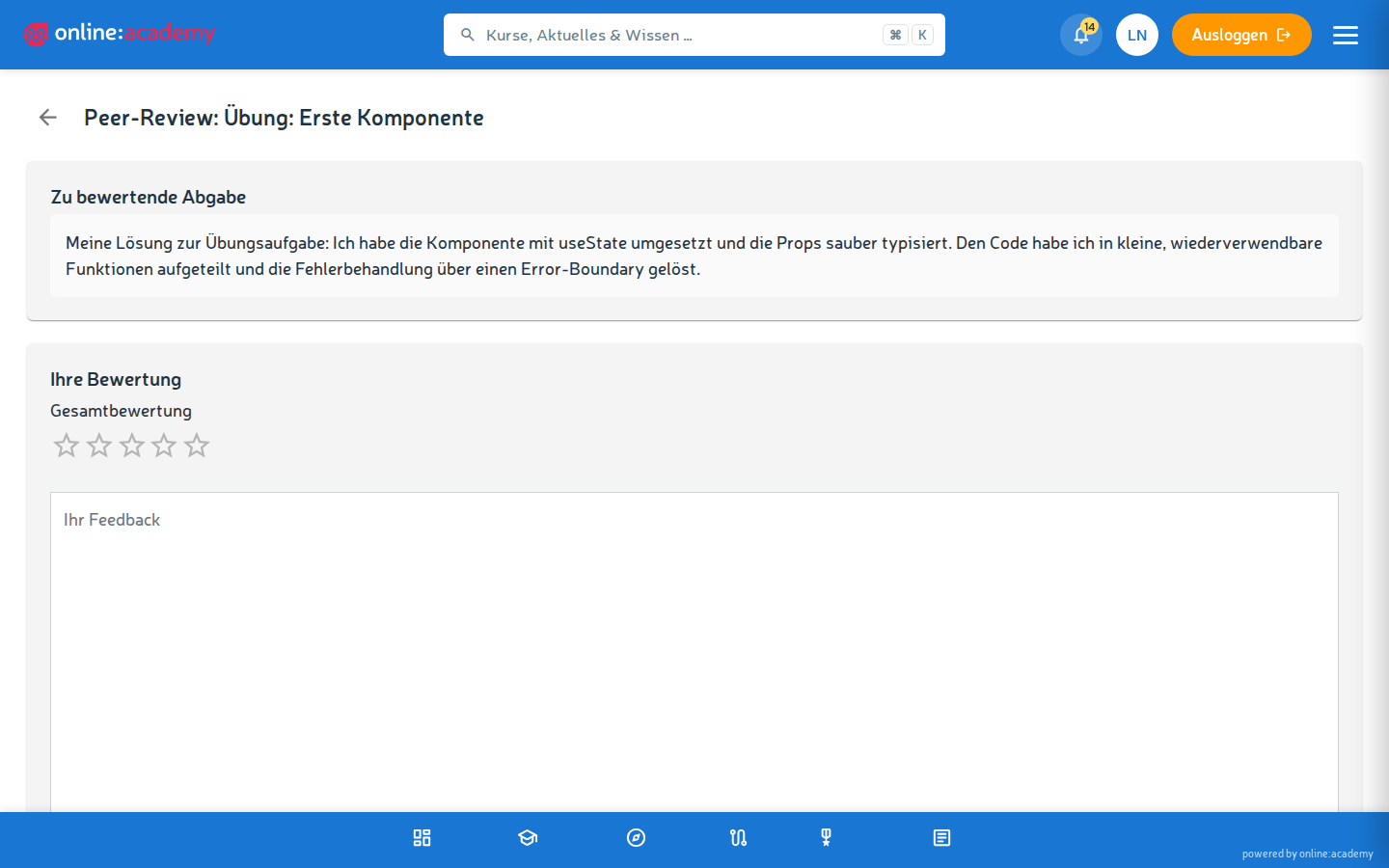
When a piece of work is assigned to you for rating, a notification "New peer-review task" arrives at the bell, and the task appears under Peer reviews in the left-hand navigation.
- Click the peer-review task.
- Read the assigned work carefully.
- Go through the rating criteria — the guidance your trainer defined for this assignment.
- Give an overall rating (1-5 stars).
- In the free-text field, compose constructive feedback — what was good, what can be better, phrased concretely and politely.
- Submit review.
Tips for good feedback
- Specific instead of general — "The second paragraph is unclear because X" helps more than "not so good".
- Polite — you'd read the same feedback about your own work, too.
- A suggested solution — if you criticize something, ideally write right away how it would be better.
- Not only negative — what worked is just as important to mention.
Frequently asked questions
Can I rate my own work? No — the system distributes reviews so that your own submission doesn't come back to you for rating.
Can I see whose work I'm rating? No — reviews are anonymous. You only see the submission, no name.
Someone commented inappropriately. What do I do? Contact your trainer or the content manager. There's no automatic moderation.
When do I get ratings of my own work? As soon as the assigned reviewers have submitted their rating. That can take a few hours to a few days, depending on how active your fellow learners are. Check under Peer reviews → My submissions.