Quizzes and grading
Quiz lessons are central learning tools — they check whether the content was really understood, give learners direct feedback, and contribute to course completion. This page explains how to configure quizzes, what to watch out for with AI-assisted free-text grading, and how to set the minimum score sensibly.
Quiz types at a glance
| Type | What for | Grading |
|---|---|---|
| Multiple choice | Questions with answer options — one or several correct (several marks turn the question into a multiple-selection one) | Automatic — a question counts when it is answered completely correctly |
| Fill in the blanks | Complete words in a text | Automatic — points per correctly filled blank |
| Matching | Pair up terms | Automatic — points per correct pairing |
| Drag & drop | Place elements into zones | Automatic — points per correct position |
| Sorting | Put elements into the right order | Automatic |
| Free text | Open answer, graded by AI | AI-assisted, using your criteria (see below) |
| H5P quiz | Various H5P quiz types | Automatic — see Creating H5P content |
Creating multiple-choice questions
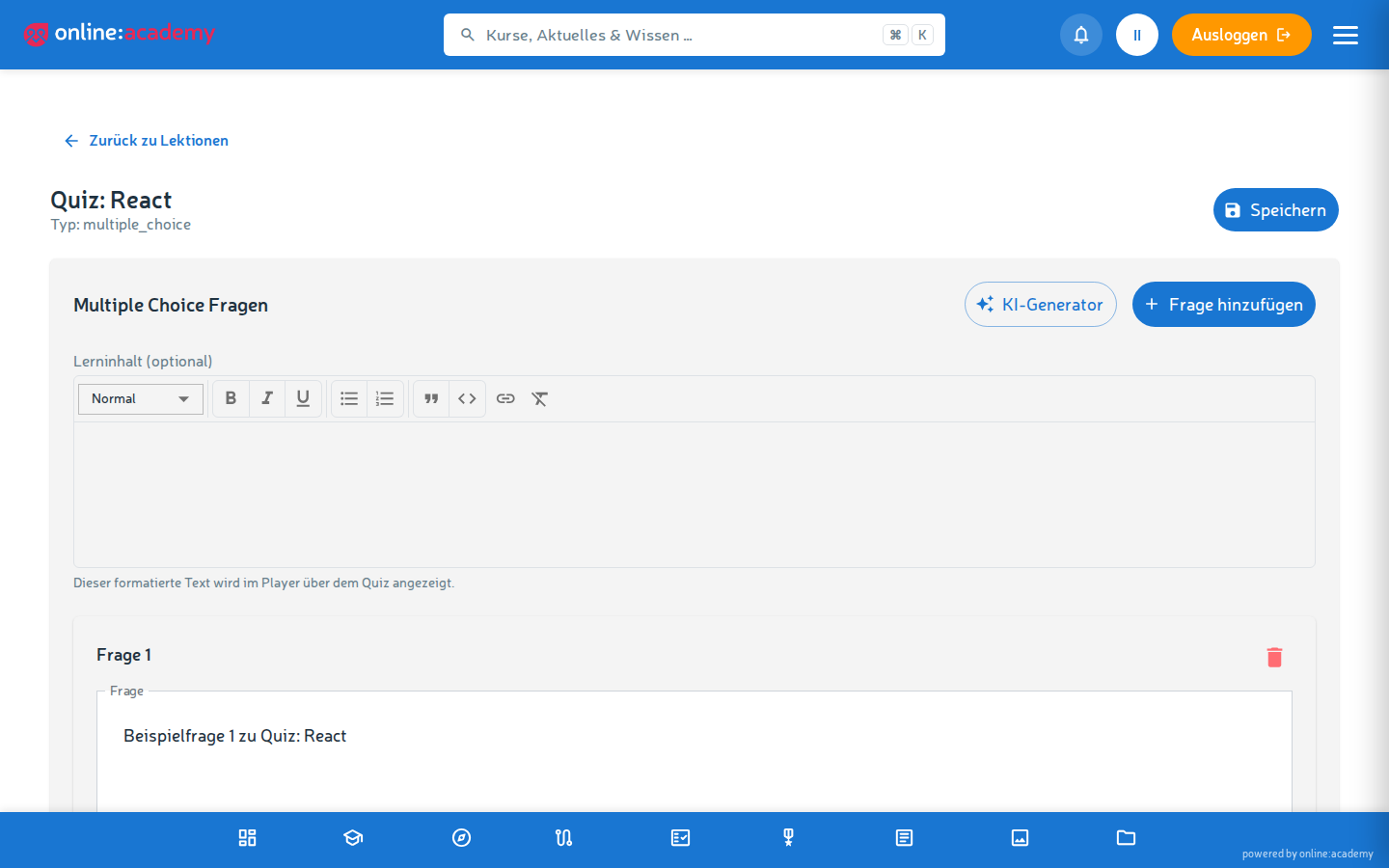
- In your course, create a new lesson of the type Multiple choice, then open Edit content.
- Formulate the question — a clear, unambiguous question.
- Create the answer options (3-5 makes sense).
- Mark the correct answer(s) with a check.
- Optionally add an explanation per question — it is shown to learners after submitting, perfect for turning wrong answers into a learning effect.
- Add more questions and Save.
The lesson score results automatically from the share of questions answered completely correctly — there is no weighting of individual questions.
Tips for good multiple-choice questions
- Plausibly wrong options (distractors) — learners should really think, not obviously guess right
- Every distractor a typical misconception — if the wrong option also exposes wrong assumptions, people learn even when they pick the wrong one
- No "all answers are correct" trick questions — they confuse more than they test
- One question = one learning objective — no compound constructs
Free-text grading with AI
AI grading is useful for tasks that don't fit "A/B/C/D" schemes — e.g. reflections, professional justifications, one's own application examples.
Creating a free-text lesson
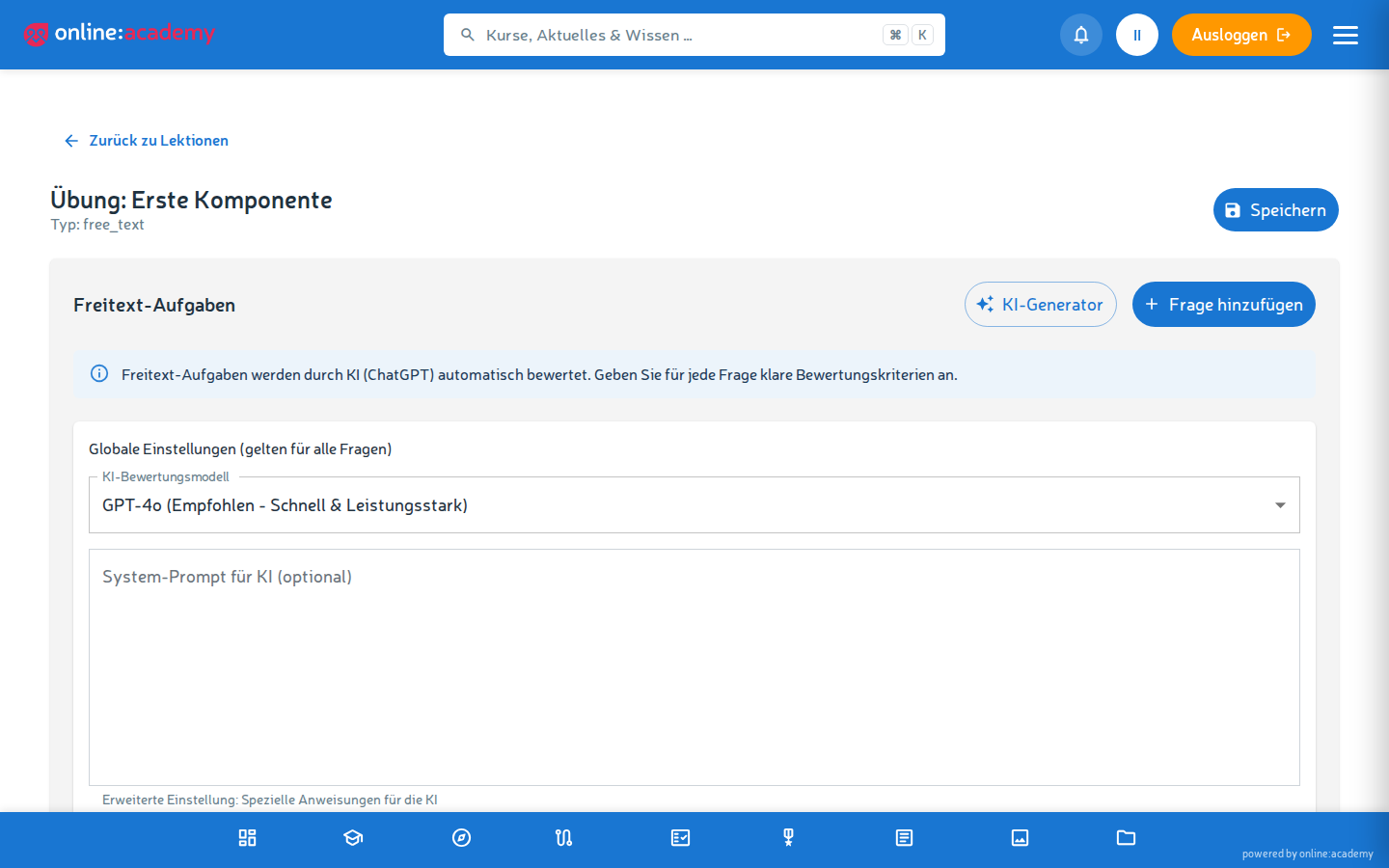
- Choose the lesson type Free text, then open Edit content.
- Write the task — what is to be assessed.
- Store a model answer — the AI compares against it.
- Define the grading criteria — e.g. "Factual correctness", "Completeness of the argument", "Own examples or reflection". The criteria are free keywords; there is no percentage weighting (you can write it into the text for orientation).
- Set the maximum score (e.g. 100).
- Save.
What the AI grading delivers
Per submission, the learner receives:
- Score relative to the maximum score
- Strengths of the answer
- Suggestions for improvement
- Overall feedback as a coherent text
When AI grading makes sense and when it doesn't
| Makes sense | Use with care |
|---|---|
| Reflection, application questions, "explain in your own words" | Highly critical assessments where the result has consequences (certificate, certification) |
| Fast feedback in large classes | Specialist knowledge the AI doesn't reliably know |
| Exercises without grade pressure | Answers that are meant to be creative — the AI tends to favour "normal" answers |
For critical assessments, enable the course toggle "AI gradings require trainer approval" — a passed AI grading then only counts towards completion once you have approved it.
Reviewing and overriding AI gradings
There is a dedicated area for this in the main navigation: AI gradings.
- The list shows all AI-graded submissions of your company — filterable, among other things, by score range (handy for borderline cases, e.g. 60-70%).
- Per submission you see the answer, the AI score, and the AI feedback.
- Approve — you confirm the AI grading. Or Override — your score and your feedback replace the AI grading (the original AI score remains internally traceable).
Setting the minimum score sensibly
Whether a quiz lesson has to be "passed" is controlled by the minimum score of the lesson (in the lesson form). Learners have to reach it in order to complete the lesson — below that it says "Try again".
The passing threshold on the course is purely informational
The course field "Passing threshold (%)" is shown to learners, but not enforced. Only the minimum score of the individual lessons is binding.
| Score | What it means |
|---|---|
| 0% (form default) | No hurdle — the lesson counts as completed on submission |
| 50% | Very relaxed hurdle — only the basics have to be there |
| 70% | A solid middle ground, tolerates gaps |
| 80-90% | Demanding, typical for mandatory training with a compliance angle |
| 100% | Perfect — only sensible for very short quiz lessons, otherwise frustrating |
Learners may repeat failed quiz lessons as often as they like — the result of the passed attempt is what gets stored. There is no attempt limit and no waiting period between attempts.
Frequently asked questions
How do I stop learners from simply guessing answers in multiple choice? - More answer options (5 instead of 3) reduce the guessing success rate to 20% instead of 33% - Explanations per question: at least people learn something when guessing wrong - Set the lesson's minimum score higher - Use a free-text or a drag & drop lesson instead of multiple choice, where guessing works less well
Learners complain about the AI grading — that it's too strict/too lenient. First step: review your model answer and the criteria. Are they really clearly formulated? Are acceptable variations missing? For systematic skew: override individual gradings under AI gradings and enable trainer approval for the course.
How do I see whether a quiz question is too hard/too easy? There is currently no evaluation per individual quiz question. At lesson level, the Course details tab under Administration → Analytics & Reports (visible from the Content Manager role upwards) shows attempts, completions, and average scores — a lesson with a conspicuously low average score probably contains questions that are too hard or unclear.
Can I import quiz questions from an Excel/CSV file? Not directly in the UI at the moment. Pragmatically: for many similar questions (e.g. vocabulary tests), an H5P quiz is worthwhile — it offers bulk input modes.
A lesson is marked as "completed" even though learners didn't reach the full score. "Completed" means: the lesson's minimum score was reached, i.e. passed. 80% with a 70% minimum score = passed. If you want to be stricter, set the minimum score higher.