Rating a course
After you have successfully completed a course, the system invites you to rate it. Your stars feed into the average rating that other learners see in the course catalog — and your comment helps the trainers improve the course.
When the rating prompt appears
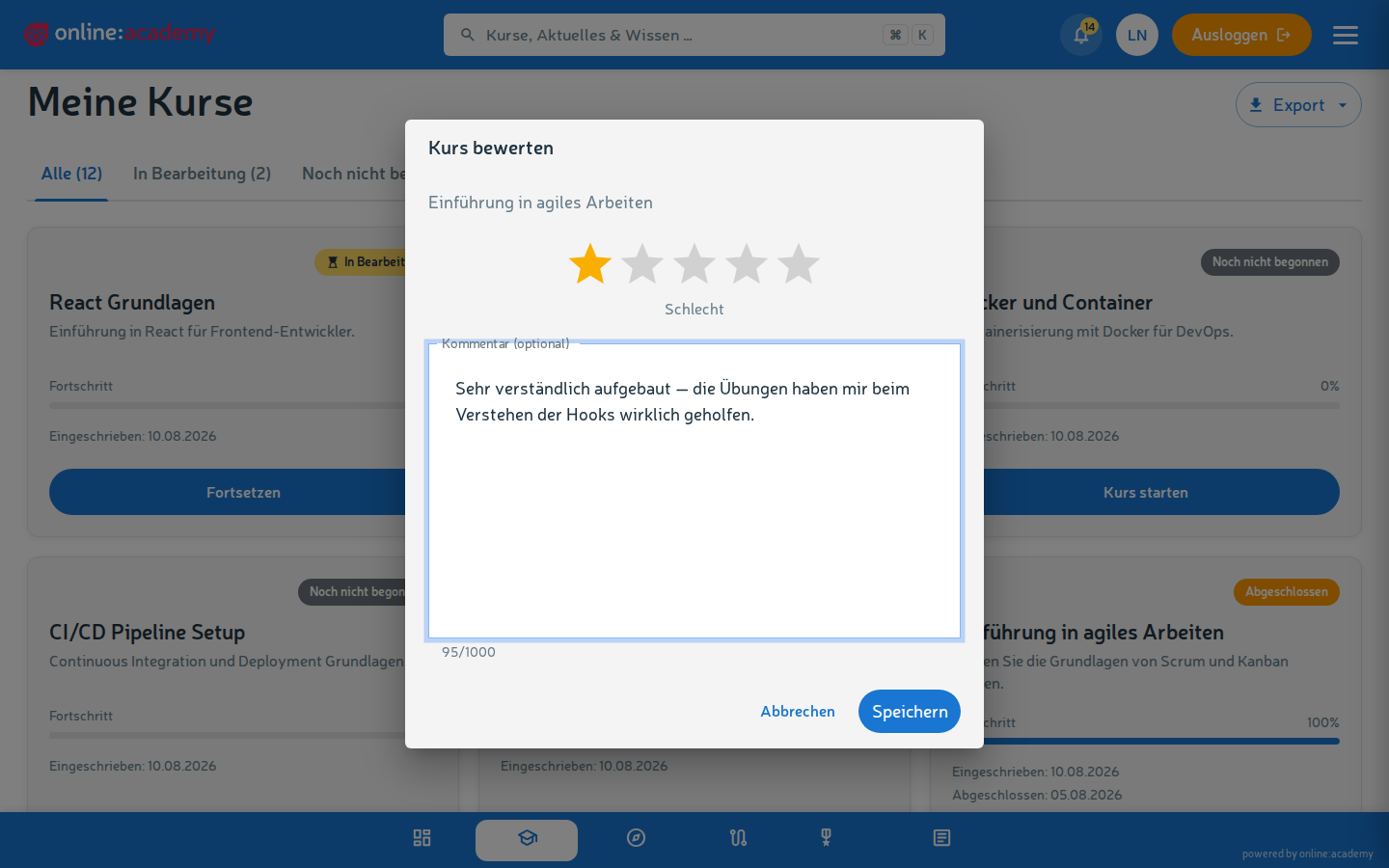
Directly after completing the last mandatory content, the system shows a dialog window:
- 1-5 stars for your overall assessment
- Comment (optional) — what was good, what could be improved, who the course is suitable for
If you close the dialog, you can add the rating later — under My courses there's a Rate button on completed courses.
What makes a good rating
- Specific: "The lessons were well structured, especially chapter 3" helps more than "good course"
- Honest: low ratings are allowed — they help other learners have realistic expectations
- Constructive: when criticizing, if possible also say what could be better
- Relevant to others: less "I didn't like it", more "too hard for beginners / too slow for advanced learners"
Changing your rating later
You can adjust your rating at any time:
- Go to the course in My courses.
- Click Change rating.
- Adjust the stars and/or comment.
- Save.
Your updated rating replaces the old one — it doesn't count twice.
Who sees your rating?
- Stars: feed anonymously into the average value that is shown in the course catalog.
- Comment: is not visible to other learners — it's seen by trainers and administrators of your company in the evaluation.
Frequently asked questions
I finished a course but no rating dialog appears. You can add the rating at any time: under My courses, click Rate on the completed course.
Can I rate a course without completing it? No — only completed courses can be rated, so that the stars are really based on experience gained.
Do my trainers see my rating? Yes — trainers see ratings of their courses, that's precisely the point. If you have criticism you'd like to discuss personally, a direct message to the trainer is often better than a public comment.